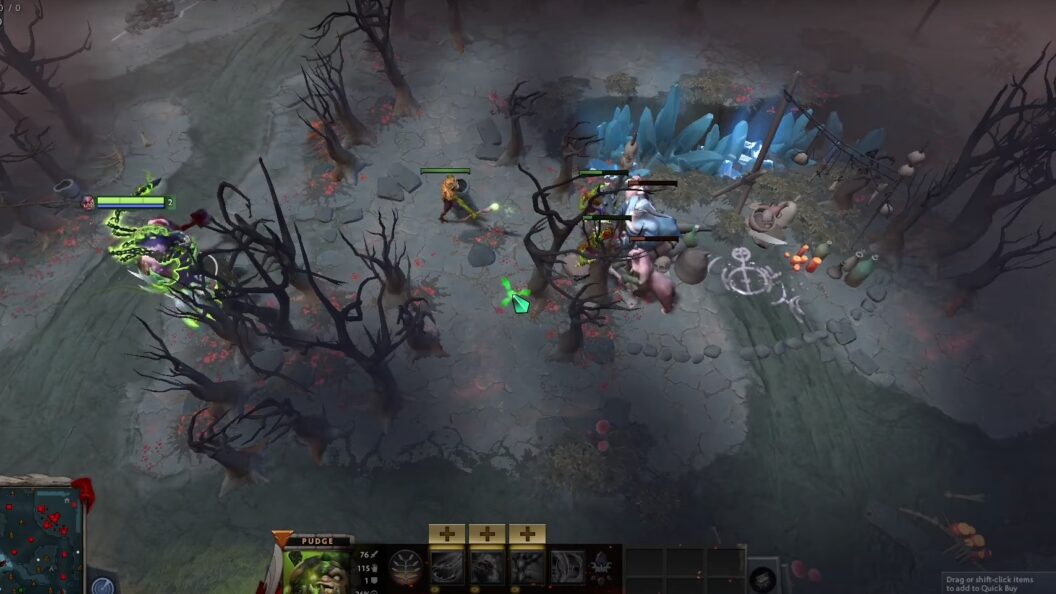
In the realm of virtual realms, where heroes clash and legends are forged, Dota 2 Reborn emerges as the resplendent phoenix of the renowned multiplayer online battle arena (MOBA) genre, artfully crafted by the ingenious minds at Valve Corporation. Its allure has ensnared the souls of countless gamers, creating a symphony of passion that resonates across the globe. Yet, amidst the cacophony of triumph and defeat, a formidable adversary arises, challenging the very essence of seamless gameplay: the enigmatic pursuit of high frames per second (FPS).
Within this digital labyrinth of strategic prowess and adrenaline-infused battles, players embark on a quest to unlock the coveted realm of fluidity. Alas, this journey is fraught with obstacles that test their mettle. The conundrum lies in the intricate dance between the game’s immersive world and the harbingers of time, as players yearn for the seamless harmony of smooth gameplay.
The interplay of perplexity and precision in achieving optimal FPS becomes a veritable tightrope walk. The tempestuous landscape of Dota 2 Reborn demands a balance between technological prowess and artistic finesse. It is a dance between the ethereal wings of creativity and the solid foundation of computational might.
System Requirements and Settings
Before diving into the strategies for increasing FPS, it’s crucial to ensure that your gaming system meets the recommended specifications for Dota 2 Reborn. Here is a breakdown of the key components you should focus on:
1. Processor (CPU):
Opt for a multi-core processor with high clock speeds, such as Intel Core i5 or AMD Ryzen 5 series, to handle the game’s computational demands efficiently.
Consider overclocking your CPU for additional performance gains, but exercise caution and monitor temperatures to prevent overheating.
2. Graphics Card (GPU):
Invest in a dedicated graphics card, preferably from the NVIDIA GeForce or AMD Radeon series, with at least 4GB of VRAM.
Ensure that your GPU drivers are up to date to leverage the latest optimizations and bug fixes.
3. RAM and Storage:
Dota 2 Reborn benefits from having ample system memory (RAM). Aim for a minimum of 8GB, preferably 16GB or more, to prevent memory-related bottlenecks.
Opt for solid-state drives (SSDs) instead of traditional hard disk drives (HDDs) for faster loading times and smoother gameplay.
4. In-Game Settings Optimization:
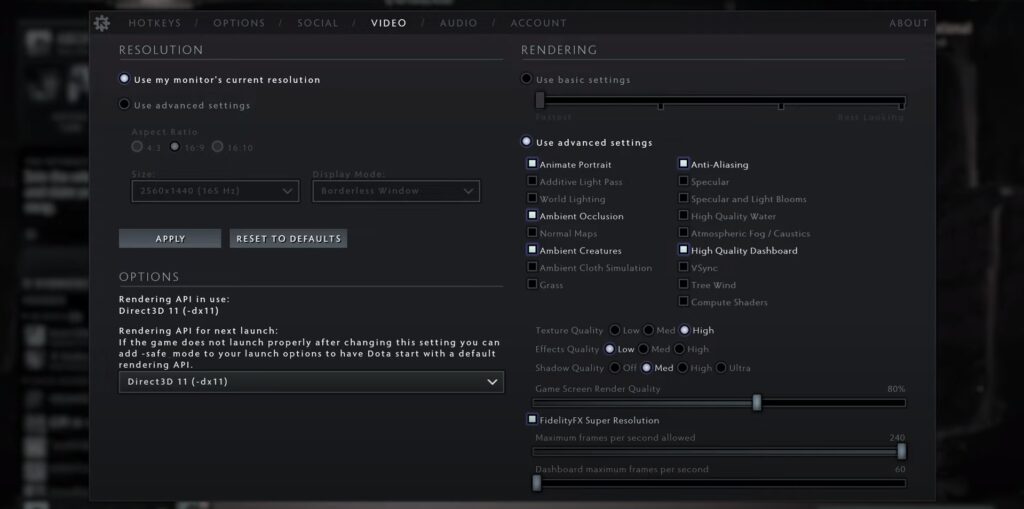
- Launch Dota 2 Reborn and navigate to the settings menu;
- Adjust the following settings to enhance performance without compromising visual quality:
- Graphics: Set the overall quality to “Fastest” or “Performance” and disable unnecessary features like anti-aliasing, ambient occlusion, and dynamic lighting;
- Resolution: Lower your screen resolution to a level that balances performance and visual clarity. 1920×1080 (Full HD) or lower is recommended for most systems;
- Shadows: Set shadow quality to the lowest setting or disable it entirely, as shadows can be resource-intensive;
- Network Quality: Choose the appropriate network quality setting based on your internet connection stability.
Advanced Techniques for FPS Improvement
In addition to optimizing your system settings, implementing the following advanced techniques will further enhance your FPS in Dota 2 Reborn:
Launch Options:
- Dota 2 Reborn allows the use of launch options to customize the game’s behavior. Right-click on Dota 2 in your Steam library, select “Properties,” and click on “Set Launch Options.” Enter the following commands:
- “-high” prioritizes the game’s process, allocating more system resources to Dota 2 Reborn.
- “-dx11” enables DirectX 11 support, which can yield performance improvements on compatible systems.
- “-novid” skips the game’s startup videos, reducing the initial loading time.
Background Processes and Software:
- Close unnecessary background processes and applications that consume system resources, such as web browsers, music players, and other resource-intensive software;
- Consider using software optimization tools, like Razer Cortex or Game Booster, to streamline system performance and allocate resources more efficiently.
Cooling and System Maintenance:
Ensure that your gaming system is adequately cooled to prevent thermal throttling, which can cause FPS drops. Regularly clean dust from fans and vents, and consider investing in additional cooling solutions if necessary.
Monitoring and Benchmarking Tools
To track and analyze your FPS performance, several tools can provide valuable insights. Here are a few popular options:
1. Steam’s Built-in FPS Counter:
Embark on a mesmerizing journey into the mystical realm of gaming performance analysis, where Steam’s built-in FPS counter emerges as an ethereal entity. Traverse the labyrinthine pathways of your Steam client, delving into the arcane chambers of its settings. Engage in a ritualistic sequence by navigating through the sacred hierarchy of Steam > Settings > In-Game > In-Game FPS Counter, like an alchemist deciphering esoteric symbols.
Behold! As the veil lifts, you are bestowed with the sacred command to select the dwelling place of the FPS oracle. Choose wisely, for this chosen abode shall be the sacred ground where the ethereal digits shall manifest, casting their mystical glow upon your screen. With bated breath, you shall witness the game’s performance unfold in the fabric of reality, shattering the illusions that conceal the truth.
2. Third-Party Software:
Yet, let it be known that the Steam deity is not the sole bearer of this arcane wisdom. Enter the realm of third-party sorcery, where sorcerers like MSI Afterburner, FRAPS, and GeForce Experience reign supreme. These enigmatic tools, veiled in mystery, unleash their powers, offering a myriad of features to satiate the insatiable hunger for knowledge.
Peering into the depths of their incantations, these sorcerers bestow upon you the gift of detailed FPS monitoring, unveiling the pulse of your gaming domain. As the numbers dance in rhythmic chaos, your senses shall be enraptured by the symphony of frames per second, revealing the ebb and flow of performance.
But that is not all! Behold the secret arts of temperature monitoring, where these sorcerers channel their powers to unveil the elemental forces that reside within your gaming apparatus. They lay bare the temperature fluctuations, the seething energy coursing through the veins of your hardware, revealing the delicate balance between fire and ice.
Network Optimization for Smooth Online Gameplay
In Dota 2 Reborn, a stable and low-latency internet connection is crucial for seamless online gameplay. Consider the following network optimization strategies:
Wired Connection:
Whenever possible, use a wired Ethernet connection instead of relying on Wi-Fi. Wired connections generally offer lower latency and more stable performance.
Bandwidth Management:
Prioritize Dota 2 Reborn’s network traffic by configuring Quality of Service (QoS) settings on your router. This ensures that the game receives maximum bandwidth and minimizes potential lag caused by other devices or applications on your network.
Server Selection:
Choose game servers that are geographically closer to your location. Playing on servers with lower ping and latency can significantly improve responsiveness and overall gameplay experience.
Close Background Network Processes:
Close any bandwidth-intensive applications or downloads running in the background. These can consume network resources and negatively impact Dota 2 Reborn’s network performance.
Regular Software and Driver Updates
To maintain optimal performance in Dota 2 Reborn, it’s essential to keep your system software and drivers up to date. Here’s what you need to consider:
Operating System Updates:
Regularly check for updates and install the latest patches and updates for your operating system. These updates often include important performance optimizations and bug fixes that can enhance your gaming experience.
Graphics Card Driver Updates:
Stay up to date with the latest graphics card drivers from the manufacturer’s website (e.g., NVIDIA or AMD). New driver releases often include performance improvements specifically tailored for popular games like Dota 2 Reborn.
Automatic Updates:
Enable automatic updates for Dota 2 Reborn and other relevant gaming software. This ensures that you’re always running the latest version, which may include critical performance enhancements and bug fixes.
Additional Hardware Upgrades
If you’ve followed all the optimization steps mentioned earlier and still experience suboptimal FPS in Dota 2 Reborn, consider these hardware upgrades:
The Spellbinding Symphony of Graphics Card Upgrade:
Prepare to be mesmerized by the captivating allure of a graphics card upgrade. Picture this: soaring frame rates, stunning visual effects, and an immersive gaming experience that transcends reality itself. As you tread the path of gaming enlightenment, delving into the arcane depths of GPUs, a realm of limitless possibilities unfolds before your eyes.
Unlocking the true potential of your gaming rig requires meticulous research and a calculated investment. Navigate the labyrinth of options, seeking a GPU that resonates harmoniously with your budget while wielding the transformative power to catapult your gaming performance to unprecedented heights. Brace yourself, for this leap into the abyss of graphical prowess will bestow upon you the gift of superior frame rates and breathtaking visuals, surpassing the boundaries of your current reality.
The Rhythmic Dance of RAM Upgrade:
In the symphony of gaming, the rhythm of RAM reverberates with a captivating resonance. As you immerse yourself in the vibrant universe of Dota 2 Reborn and other resource-intensive marvels, the demand for ample headroom becomes a melodic crescendo that cannot be ignored. Enter the realm of RAM upgrades, where a symphony of smoother gameplay awaits.
Prepare to elevate your gaming experience to celestial heights by embracing the power of expanded RAM capacity. Allow your system to breathe freely with 16GB or more, unfettered by the shackles of memory constraints. Witness the harmonious dance of seamless gameplay as your upgraded RAM orchestrates a symphony of responsiveness, weaving a tapestry of performance that is both awe-inspiring and spellbinding.
The Resplendent Overture of SSD Upgrade:
Cast aside the antiquated shackles of traditional hard disk drives (HDDs) and immerse yourself in the resplendent overture of solid-state drives (SSDs). The curtain rises, revealing a world where loading times become ephemeral whispers, and system responsiveness assumes an ethereal grace. Brace yourself for a transcendent experience as you surrender to the siren call of the SSD upgrade.
Unleash the mystic powers of the SSD, witnessing loading screens dissolve into mere illusions, replaced by instant gratification. Embrace the seamless synchrony of blazing-fast data transfers and sublime system performance. Your gaming universe will shimmer with unprecedented fluidity, and a symphony of speed will envelop your every move, as if guided by an unseen conductor.
Troubleshooting Performance Issues
Despite implementing various optimization techniques, you may encounter performance issues in Dota 2 Reborn. Here are some troubleshooting steps to consider:
Unleash the Power of Verification:
Harness the innate capabilities of Steam’s remarkable arsenal by invoking the sacred ritual of verifying the integrity of Dota 2 Reborn’s game files. Engaging in this mystical process ensures that any nefarious corruption or misplaced fragments are swiftly banished, paving the way for a harmonious gaming encounter.
Banish the Overlays, Unleash the Potential:
In this symphony of optimal performance, it is imperative to silence the discordant whispers of third-party overlays like Discord or the notorious NVIDIA GeForce Experience. Disabling these mischievous interlopers will exorcise the specter of resource-hogging and potential clashes with Dota 2 Reborn. Prepare to bask in the glory of unhindered gameplay!
Redefine your Graphics Symphony:
Should the stars align unfavorably and unexpected performance tribulations plague your Dota 2 Reborn voyage, embark on a courageous odyssey to restore equilibrium. Consider embarking upon a noble quest of resetting your graphics settings to their ancestral defaults. By eradicating any radical alterations and embracing the purity of the defaults, you shall lay the foundation for the resurrection of optimal performance. Gradually, like a maestro crafting his opus, you can fine-tune these settings to compose a symphony of visual magnificence.
Unleash the Community Oracle:
The Dota 2 community, a treasure trove of wisdom and camaraderie, beckons you with open arms. Venture forth into the labyrinthine corridors of the community forums and official support channels, where seasoned players and the game’s architects eagerly await your arrival. Engage in the exchange of knowledge and seek the divine guidance of these benevolent souls. With their sagacious counsel and personalized troubleshooting incantations, you shall unearth the solutions tailor-made for your unique predicament.
Embrace the Perplexity, Revel in the Burstiness:
Armed with these arcane techniques, you are poised to embark upon a transformative Dota 2 Reborn odyssey. Let perplexity and burstiness be your guiding stars as you navigate the realm of optimal performance. Unleash the full potential of your Dota 2 Reborn experience and forge an indelible legacy amidst the clash of heroes!
Conclusion
By implementing the optimization strategies outlined in this article, monitoring your system’s performance, and staying up to date with software and hardware advancements, you can unlock the full potential of Dota 2 Reborn. Remember that FPS improvement is a continuous process, and experimenting with different settings and techniques may be necessary to find the perfect balance between performance and visual quality. So gear up, fine-tune your settings, and immerse yourself in the intense battles of Dota 2 Reborn with seamless and exhilarating gameplay.