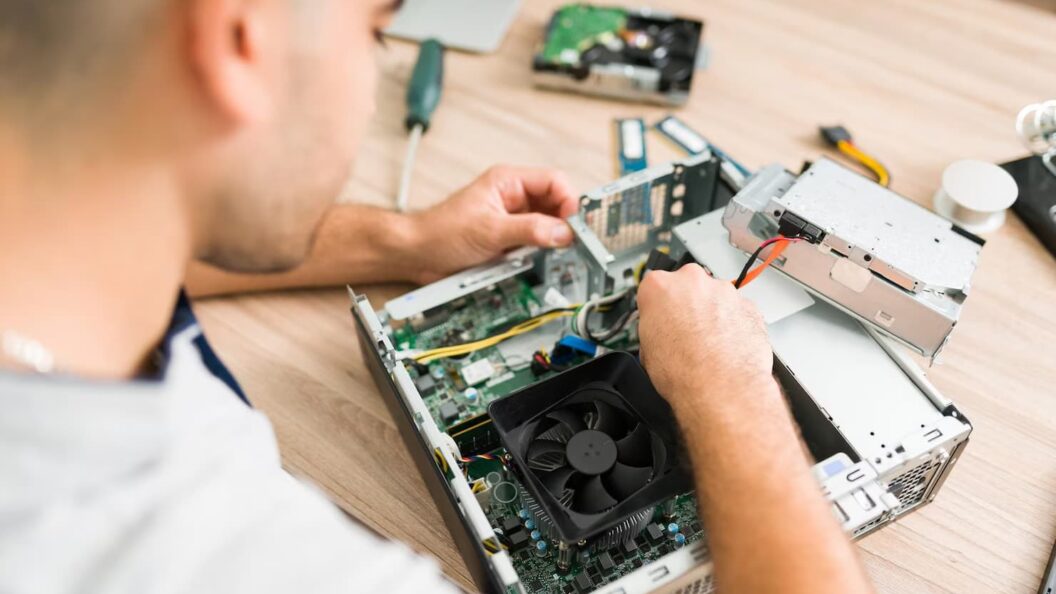
The idea of building your own gaming PC can feel like preparing for a final boss battle you haven’t studied for. A world of acronyms, competing brands, and an endless sea of YouTube tutorials can be intimidating. But here’s the secret: building a PC isn’t about knowing everything. It’s about knowing what matters for you. This guide won’t just give you a shopping list; it will arm you with the strategic knowledge to craft a balanced, powerful, and personal gaming rig. Think of it less like assembling furniture and more like building a character in an RPG—every choice should synergize to create a powerful whole. The goal is to build a machine that’s perfectly tailored to the games you play, the resolution you want, and the budget you have.
The Core Philosophy: The Art of a Balanced Build
Before you even look at a single component, you must understand the most critical concept in PC building: balance. It’s a common rookie mistake to spend 70% of the budget on a top-tier graphics card, only to pair it with a low-end processor. This creates a “bottleneck,” where your powerhouse GPU is sitting idle, waiting for the struggling CPU to feed it information. It’s like putting a rocket engine on a skateboard. The key to a great gaming PC isn’t having the single most expensive part; it’s having parts that work together in harmony.
Your PC has a core trio of performers: the CPU, the GPU, and your RAM/Storage combo. Your goal is to choose components that are all in a similar performance tier. A mid-range CPU pairs beautifully with a mid-range GPU. A high-end processor deserves a high-end graphics card. This ensures that no single component is holding the others back, allowing you to extract the maximum performance from every dollar you spend. Always ask yourself: “Will this new part be able to keep up with the others?” This simple question will save you from making costly, unbalanced decisions and is the true mark of a smart builder.
Assembling Your Champions: The Key Components
With the philosophy of balance in mind, let’s break down the essential components. We’ll focus on the role of each part, so you can make intelligent choices rather than just picking what’s popular.
The Brain: Central Processing Unit (CPU)
The CPU is the command center of your PC. For gaming, it handles logic, physics calculations, and AI behavior. While the GPU does the heavy visual lifting, a weak CPU can cause stuttering and low frame rates, especially in strategy games or large open-world titles with many moving parts. You don’t need the most expensive model on the market, but you should aim for a modern processor with at least 6 cores. This will provide a strong foundation for today’s games and for years to come.
The Brawn: Graphics Processing Unit (GPU)
This is the heart of your gaming experience. The GPU is responsible for rendering the beautiful images you see on screen. This is where a significant portion of your budget will likely go, and for good reason. Your GPU choice will directly determine what resolution (1080p, 1440p, or 4K) you can comfortably play at and with what level of graphical settings. Before choosing a GPU, decide on your target monitor resolution. There’s no point in buying a 4K-capable card if you plan to play on a 1080p monitor.
The Backbone: Motherboard, RAM, and Storage
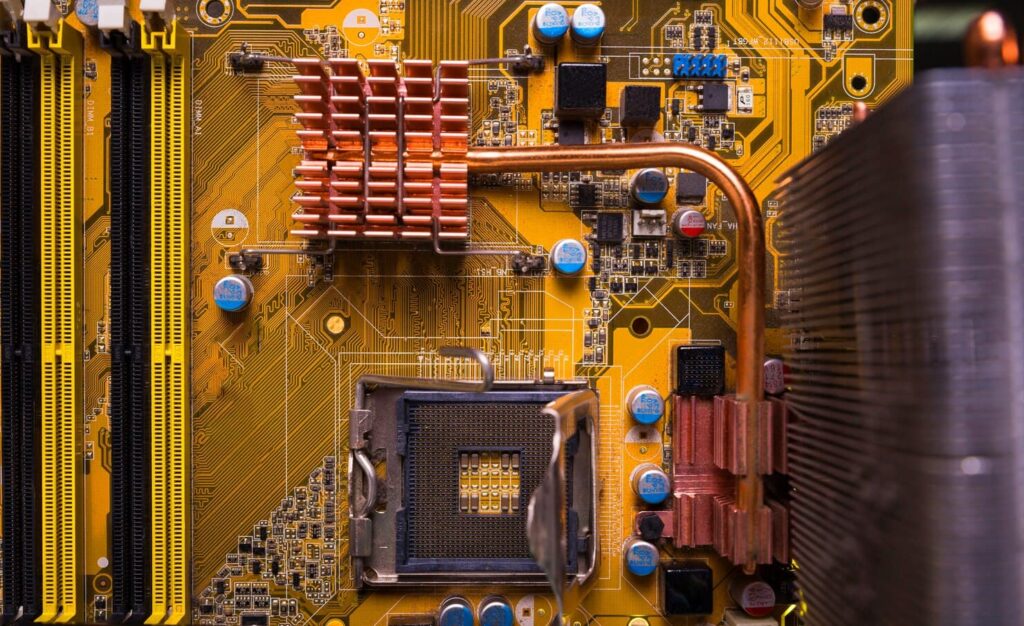
These components support your CPU and GPU. The Motherboard is the central nervous system that connects everything. Ensure it’s compatible with your chosen CPU (the “socket type” must match) and has the features you need, like enough USB ports and Wi-Fi if required. Your RAM is the PC’s short-term memory. For modern gaming, 16GB is the minimum, but 32GB is becoming the new standard for a smooth, future-proof experience.
- Speed Matters: Look for DDR5 RAM with the highest speed your motherboard and CPU officially support for a noticeable performance boost.
- Capacity is Key: More RAM allows you to run games, a web browser, and other apps simultaneously without slowdown.
- Dual-Channel: Always buy RAM in a kit of two sticks (e.g., 2x16GB) to run in dual-channel mode, which significantly improves performance.
Finally, your Storage dictates how fast your PC and games load. A fast NVMe Solid State Drive (SSD) is non-negotiable for a modern gaming rig. It will make your entire system feel incredibly responsive, from booting up to loading new levels in a game. A 1TB drive is a great starting point. Lastly, the Power Supply Unit (PSU) is the one part you should never cheap out on. A poor-quality PSU can be unreliable and even damage your other components. Choose a reputable brand with an “80 Plus Bronze” or higher efficiency rating and enough wattage to comfortably power everything, with a little headroom for future upgrades.
The Assembly: A Journey of Patience
Once you have your parts, the final step is the build itself. This is where patience is your greatest tool. The best advice for a first-timer is to find a high-quality, recent video guide on YouTube that walks you through the process step-by-step. Don’t rush. Read your motherboard manual—it contains the answers to most of your questions. The process is essentially adult LEGOs, but with a few extra precautions. Keep track of your screws, be mindful of static electricity, and take your time with cable management. A clean build isn’t just for looks; it promotes better airflow, keeping your components cool and performing at their best. When you finally press that power button and see your creation light up for the first time, the sense of accomplishment is unbeatable. You didn’t just buy a PC; you built one.